> ## Documentation Index
> Fetch the complete documentation index at: https://docs.make-pretty.com/llms.txt
> Use this file to discover all available pages before exploring further.
# What the steps mean
> A reference for every step row Pretty shows while it works: what it is doing, and what to expect.
While a turn runs, rows stack up in the chat. Each one is Pretty narrating a piece of its own
work: *"Running Snapshot…"* while it happens, then a plain-language label when it finishes.
Click any row to expand it and see the detail behind it: what it was given, what came back.
Collapsed, the row is a progress marker; you do not have to read any of it.
Labels are written for you, not taken from the internal tool names. The two tables below cover
every label you can see.
## Steps that read or research
Nothing in your deck changes while these run.
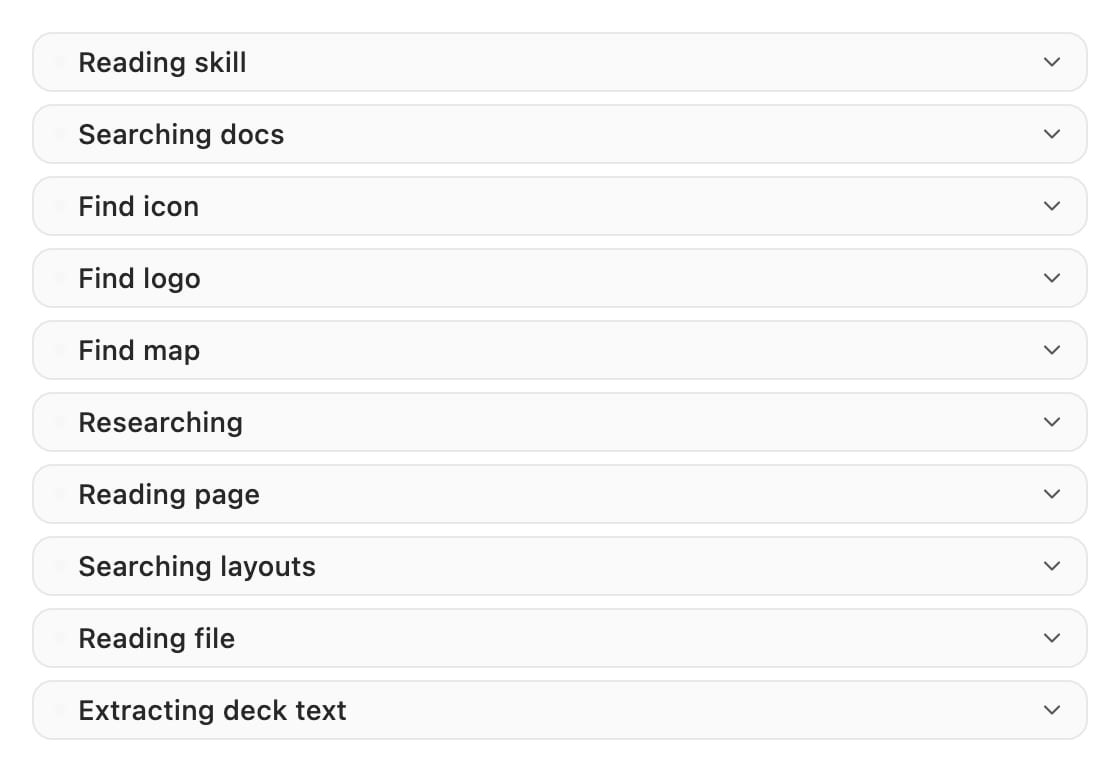 | Step label | What it does | What to expect |
| ----------------------------------------------- | ---------------------------------------------------------------------------------------------------------------- | -------------------------------------------------------------------------------------------------------------------------- |
| **Reading skill** | Loads one of your [skills](/skills/overview) so the agent can follow its instructions. | Fast. Usually the first row after you run a `/` command. |
| **Searching docs** | Looks up how to build something in Pretty's own slide API. | Fast, and frequent before a **PowerPoint** step. |
| **Find icon** | Searches the [icon library](/assets/icons) by meaning, not filename. | A handful of candidates; the agent picks and recolours to your master. |
| **Find logo** | Finds official company logos by image search, then a vision model picks the best. | Takes a few seconds. Accepts a variant such as *symbol only* or *wordmark*. See [Logos](/assets/logos). |
| **Find map** | Fetches a country, region, bloc or administrative-subdivision [map](/assets/maps). | Comes back as native editable freeform shapes, one per region, never a flat picture. |
| **Researching** | Live web research on your topic. | The slowest read step. Returns prose plus sources, and the agent adds a *"Sources:"* footer to slides built from it. |
| **Reading page** | Reads one named URL and pulls out the parts relevant to your prompt. | Use it by pasting a link in your message. |
| **Searching layouts** | Ranks your [slide pool](/slide-pools/overview) by structure and content, then re-ranks by looking at thumbnails. | Only appears if your workspace has a pool uploaded. |
| **Reading file** | Opens an attachment or a working file: text, DOCX, images, PDFs. | Images and PDFs come back as something the model can look at. |
| **Extracting deck text** | Dumps your deck's text into a temporary working file so it can be searched. | Runs once, then later steps search that file instead of re-reading the deck. |
| **Searching your deck (this may take a while)** | A separate agent answers a question about the slides already in your deck. | Slow by design, and the label says so. It does **not** read speaker notes. See [Editing existing slides](/slides/editing). |
## Steps that touch your deck
These run inside the add-in. Only **PowerPoint** writes to your slides.
| Step label | What it does | What to expect |
| ----------------------------------------------- | ---------------------------------------------------------------------------------------------------------------- | -------------------------------------------------------------------------------------------------------------------------- |
| **Reading skill** | Loads one of your [skills](/skills/overview) so the agent can follow its instructions. | Fast. Usually the first row after you run a `/` command. |
| **Searching docs** | Looks up how to build something in Pretty's own slide API. | Fast, and frequent before a **PowerPoint** step. |
| **Find icon** | Searches the [icon library](/assets/icons) by meaning, not filename. | A handful of candidates; the agent picks and recolours to your master. |
| **Find logo** | Finds official company logos by image search, then a vision model picks the best. | Takes a few seconds. Accepts a variant such as *symbol only* or *wordmark*. See [Logos](/assets/logos). |
| **Find map** | Fetches a country, region, bloc or administrative-subdivision [map](/assets/maps). | Comes back as native editable freeform shapes, one per region, never a flat picture. |
| **Researching** | Live web research on your topic. | The slowest read step. Returns prose plus sources, and the agent adds a *"Sources:"* footer to slides built from it. |
| **Reading page** | Reads one named URL and pulls out the parts relevant to your prompt. | Use it by pasting a link in your message. |
| **Searching layouts** | Ranks your [slide pool](/slide-pools/overview) by structure and content, then re-ranks by looking at thumbnails. | Only appears if your workspace has a pool uploaded. |
| **Reading file** | Opens an attachment or a working file: text, DOCX, images, PDFs. | Images and PDFs come back as something the model can look at. |
| **Extracting deck text** | Dumps your deck's text into a temporary working file so it can be searched. | Runs once, then later steps search that file instead of re-reading the deck. |
| **Searching your deck (this may take a while)** | A separate agent answers a question about the slides already in your deck. | Slow by design, and the label says so. It does **not** read speaker notes. See [Editing existing slides](/slides/editing). |
## Steps that touch your deck
These run inside the add-in. Only **PowerPoint** writes to your slides.
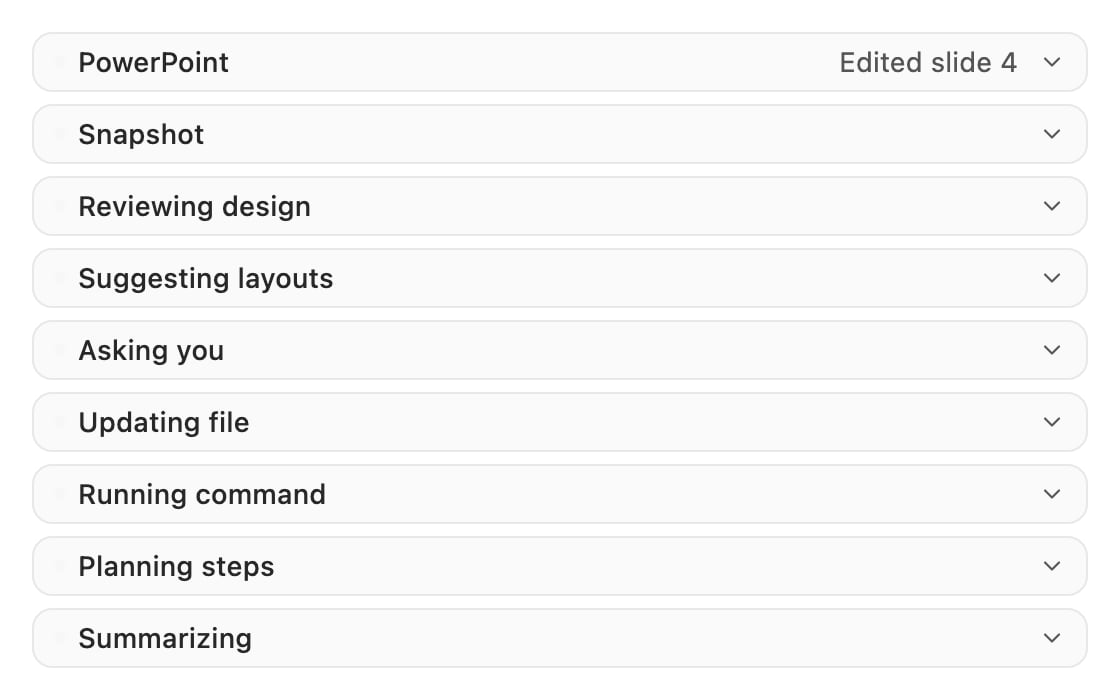 | Step label | What it does | What to expect |
| ---------------------- | ----------------------------------------------------------------------------- | ------------------------------------------------------------------------------------------------------------------------------------------------------- |
| **PowerPoint** | Runs the agent's code against the presentation you have open. | The one that changes your deck. Expands into a line per slide (*Inserted slide*, *Edited slide*, *Moved slide*), and each line jumps you to that slide. |
| **Snapshot** | Renders one to four slides to a picture so the agent can see its own work. | Two to four slides come back as a single 2×2 grid. Nothing is changed. |
| **Reviewing design** | A vision reviewer critiques the slide that was just changed. | Often followed by a second **PowerPoint** step fixing what it found. |
| **Suggesting layouts** | Shows you candidate layouts from your slide pool to choose from. | Titled **Choose a slide layout**, with a note field (*"Optional: note for the AI…"*). The turn waits for you. |
| **Asking you** | A clarifying question, two to four choices plus an **Other** box. | Nothing moves until you answer. |
| **Updating file** | Replaces exact text in a working file. | Fails rather than guess when the text it is looking for appears more than once. |
| **Running command** | Works over the chat's working files: listing, searching, converting, zipping. | Shows a plain-language summary such as *"Listing your files"* instead of the raw command. |
| **Planning steps** | Writes a visible task plan, usually one task per slide. | Tasks flip from pending to in progress to completed as it goes. Good early signal of scope. |
| **Summarizing** | Compresses the conversation to reclaim context. | Fires on long chats. See [Context and compaction](/chat/context). |
| **Stopping agent** | Stops a subagent that is still running. | |
| **Checking agents** | Checks on subagents running in the background. | |
**PowerPoint** is the only step that writes to your deck, and it rolls back on failure. A step
that errors leaves the slide as it was, not half-changed. If a change you expected never
appeared, look for a failed **PowerPoint** row rather than assuming the agent ignored you.
## Controls on a step row
| Step label | What it does | What to expect |
| ---------------------- | ----------------------------------------------------------------------------- | ------------------------------------------------------------------------------------------------------------------------------------------------------- |
| **PowerPoint** | Runs the agent's code against the presentation you have open. | The one that changes your deck. Expands into a line per slide (*Inserted slide*, *Edited slide*, *Moved slide*), and each line jumps you to that slide. |
| **Snapshot** | Renders one to four slides to a picture so the agent can see its own work. | Two to four slides come back as a single 2×2 grid. Nothing is changed. |
| **Reviewing design** | A vision reviewer critiques the slide that was just changed. | Often followed by a second **PowerPoint** step fixing what it found. |
| **Suggesting layouts** | Shows you candidate layouts from your slide pool to choose from. | Titled **Choose a slide layout**, with a note field (*"Optional: note for the AI…"*). The turn waits for you. |
| **Asking you** | A clarifying question, two to four choices plus an **Other** box. | Nothing moves until you answer. |
| **Updating file** | Replaces exact text in a working file. | Fails rather than guess when the text it is looking for appears more than once. |
| **Running command** | Works over the chat's working files: listing, searching, converting, zipping. | Shows a plain-language summary such as *"Listing your files"* instead of the raw command. |
| **Planning steps** | Writes a visible task plan, usually one task per slide. | Tasks flip from pending to in progress to completed as it goes. Good early signal of scope. |
| **Summarizing** | Compresses the conversation to reclaim context. | Fires on long chats. See [Context and compaction](/chat/context). |
| **Stopping agent** | Stops a subagent that is still running. | |
| **Checking agents** | Checks on subagents running in the background. | |
**PowerPoint** is the only step that writes to your deck, and it rolls back on failure. A step
that errors leaves the slide as it was, not half-changed. If a change you expected never
appeared, look for a failed **PowerPoint** row rather than assuming the agent ignored you.
## Controls on a step row
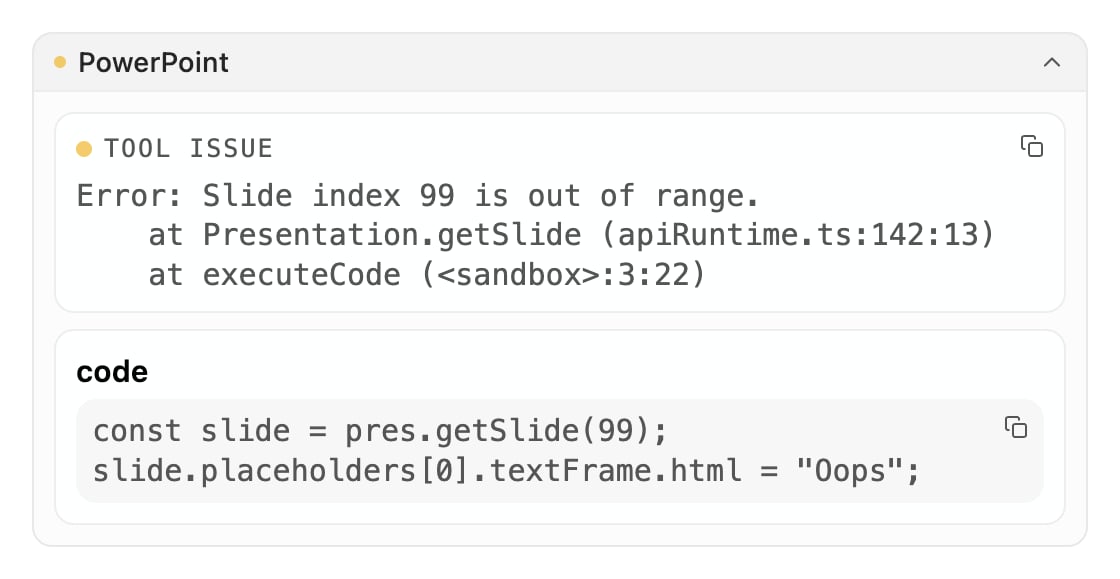 Expand a row and you get the buttons that are useful for that step.
| Control | What it is for |
| --------------------------------------------------------------- | ----------------------------------------------------------------------------------------------------------------------------- |
| **Hints** | Not an error. A geometry or overflow notice Pretty picked up and worked around. |
| **Copy error** | Copies the failure text. Paste it into a [support email](/help/support). |
| **Copy hints** | Copies the hints block. |
| **Copy output** | Copies what the step returned. |
| *"Step 3/7"* | This step is part of a longer script the agent is working through. |
| *"Output truncated — Full output saved to .../tool-output.txt"* | The result was too long to show. The full version is in the chat's working files, and the agent can still read it from there. |
## Related
Where the step rows sit, and what a whole turn looks like.
What to do when a step fails or the result is wrong.
Expand a row and you get the buttons that are useful for that step.
| Control | What it is for |
| --------------------------------------------------------------- | ----------------------------------------------------------------------------------------------------------------------------- |
| **Hints** | Not an error. A geometry or overflow notice Pretty picked up and worked around. |
| **Copy error** | Copies the failure text. Paste it into a [support email](/help/support). |
| **Copy hints** | Copies the hints block. |
| **Copy output** | Copies what the step returned. |
| *"Step 3/7"* | This step is part of a longer script the agent is working through. |
| *"Output truncated — Full output saved to .../tool-output.txt"* | The result was too long to show. The full version is in the chat's working files, and the agent can still read it from there. |
## Related
Where the step rows sit, and what a whole turn looks like.
What to do when a step fails or the result is wrong.